Choosing a color theme and paper
How to pick the Studio's color theme for buttons, links, and project icons, and its paper, the gray behind every page, and how Seasonal changes on its own.
Open Appearance
- Open the user menu: select your picture or initials at the bottom of the icon rail.
- Choose Settings, then Appearance.
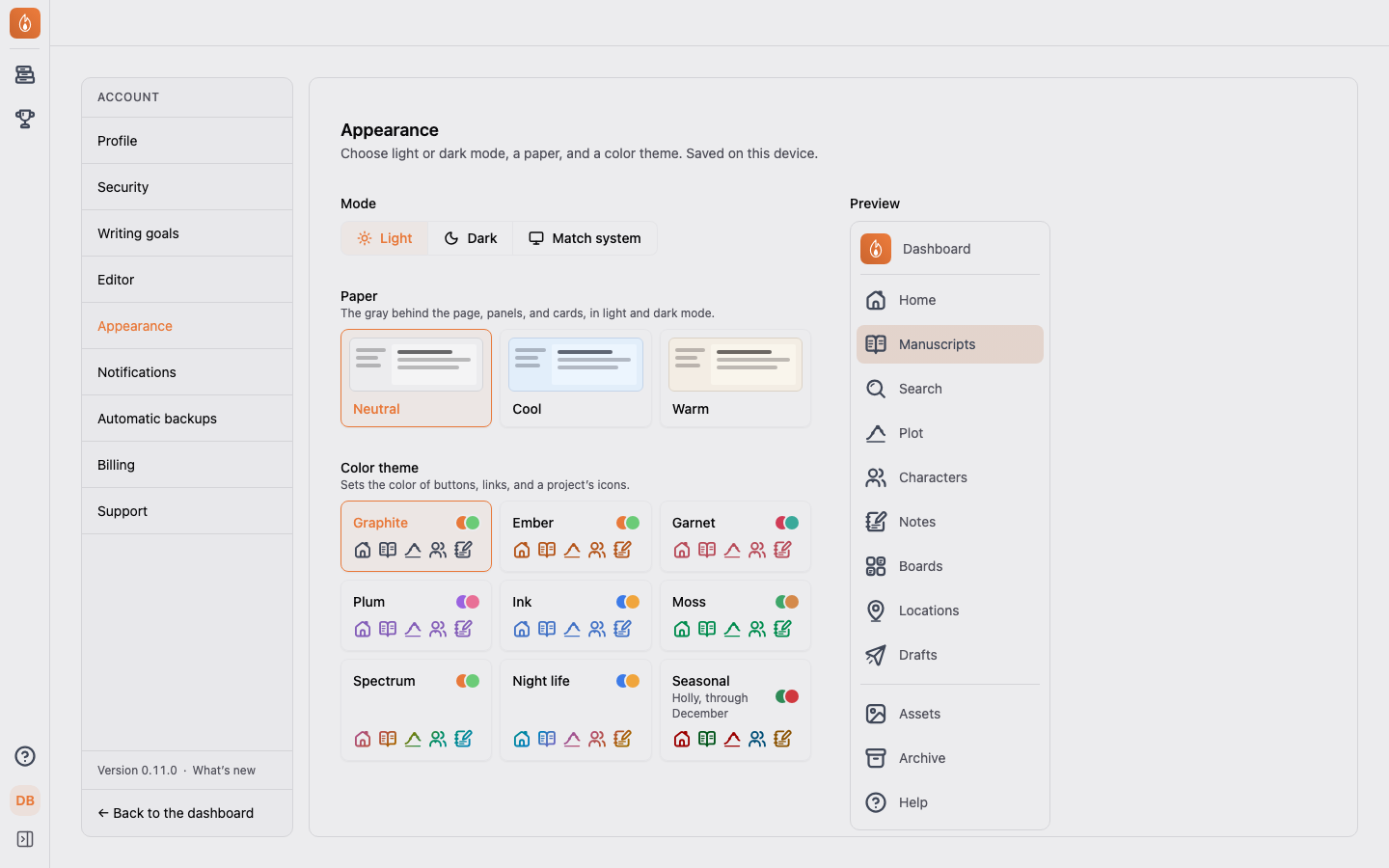
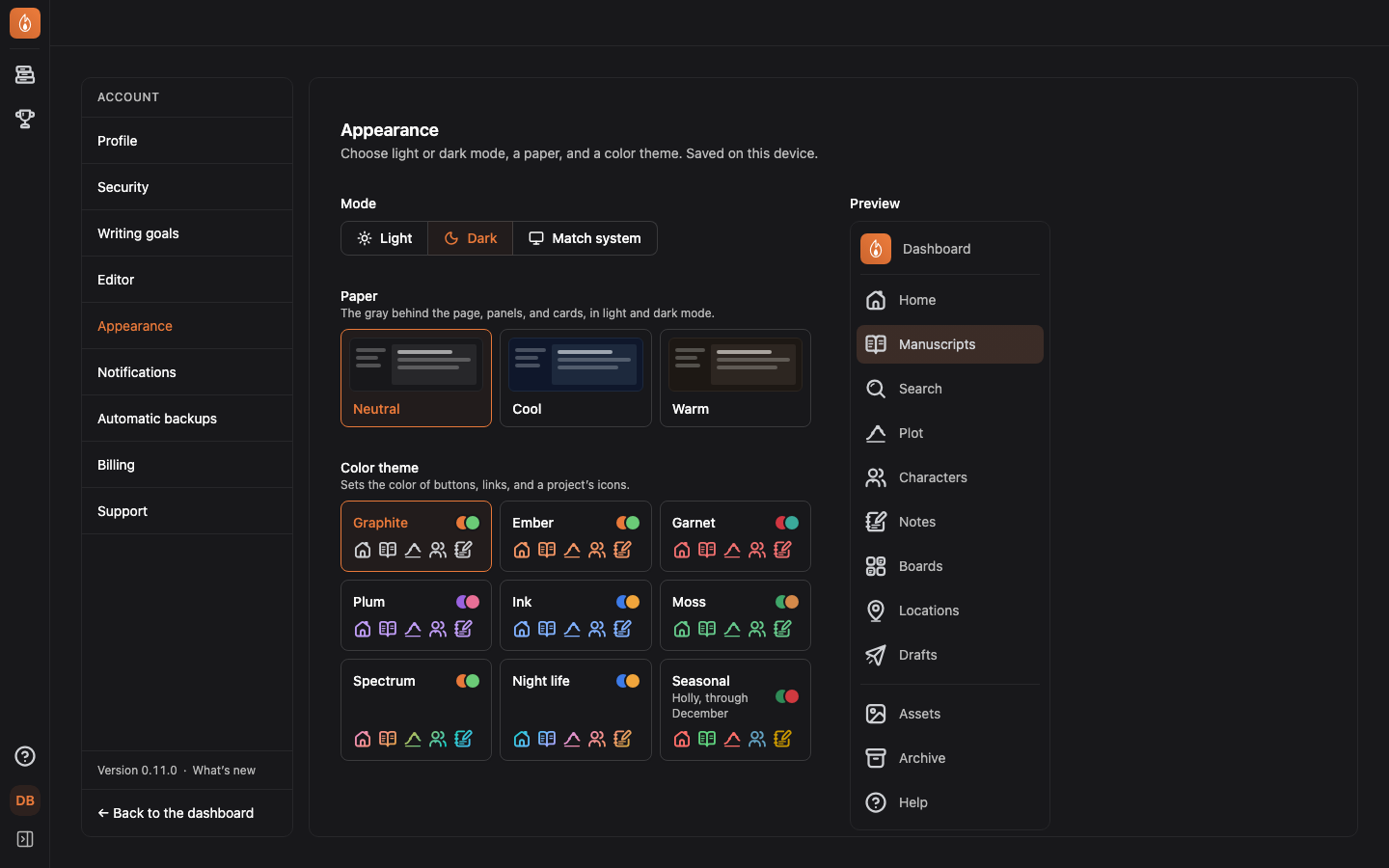
The Preview beside your choices shows a project’s rail in them. Mode is covered in Switching between light and dark mode.
Pick a color theme
A color theme sets the color of buttons and links across the Studio, and of a project’s icons. Comment highlights and selected text in the editor follow it too.
- Graphite: orange buttons and links, gray icons. It’s the default.
- Ember, Garnet, Plum, Ink, or Moss: one color for buttons, links, and icons. They’re orange, red, purple, blue, and green.
- Spectrum: orange buttons and links, with a different icon color for each section.
- Night life: blue buttons and links, with a different icon color for each section.
- Seasonal: the current season’s theme.
Icons take the theme in the rail, the manuscript tree, editor tabs, and cards.
Let Seasonal change with the year
Seasonal wears the current season’s theme and moves on to the next one by itself:
- Frost: January to March.
- Blossom: April and May.
- Seaside: June to August.
- Maple: September and October.
- Holly: November and December.
The Seasonal choice names the theme it’s wearing and the month it lasts through, such as “Holly, through December”.
Pick a paper
Paper is the gray behind the page, panels, and cards, in light and dark mode.
- Neutral: plain gray. It’s the default.
- Cool: a blue-gray, navy in dark mode.
- Warm: cream, a brown-black in dark mode.
What happens next
Each choice applies as soon as you select it, with no save. Mode, paper, and color theme are saved in this browser only.
If something goes wrong
The colors changed on their own
Your color theme is Seasonal, and a new season started. Pick another theme to keep one all year.
Another computer looks different
Each browser keeps its own appearance. Set it again there.
Related
Was this helpful?
Thanks for letting us know.