Creating your first project
How to start your first book on the welcome screen, create more projects from your dashboard, import a draft, or open the example project.
Start your first book
A project holds your chapters, characters, notes, and plot. When you have no projects yet, your dashboard is a welcome screen with a “Start your first book” card.
- Type your book’s title in Title. Leave it blank and the project is called “Untitled”.
- Pick a Type. Its suggested goal fills in Word goal, and you can change it.
- Select Start writing.
Endra Studio creates the project and opens its first chapter.
If a writing challenge you haven’t joined is running or about to start, you’re asked to join it first. Pick a goal and select Join and start writing, or select Not now to go straight to your book.
Under the card, 3 tiles start a book another way:
- Start with a template: opens the new project page with Plot template chosen.
- Import manuscript: opens the new project page with Import a draft chosen.
- Explore an example project: creates a copy of The Great Gatsby and opens it.
Create a new project from the dashboard
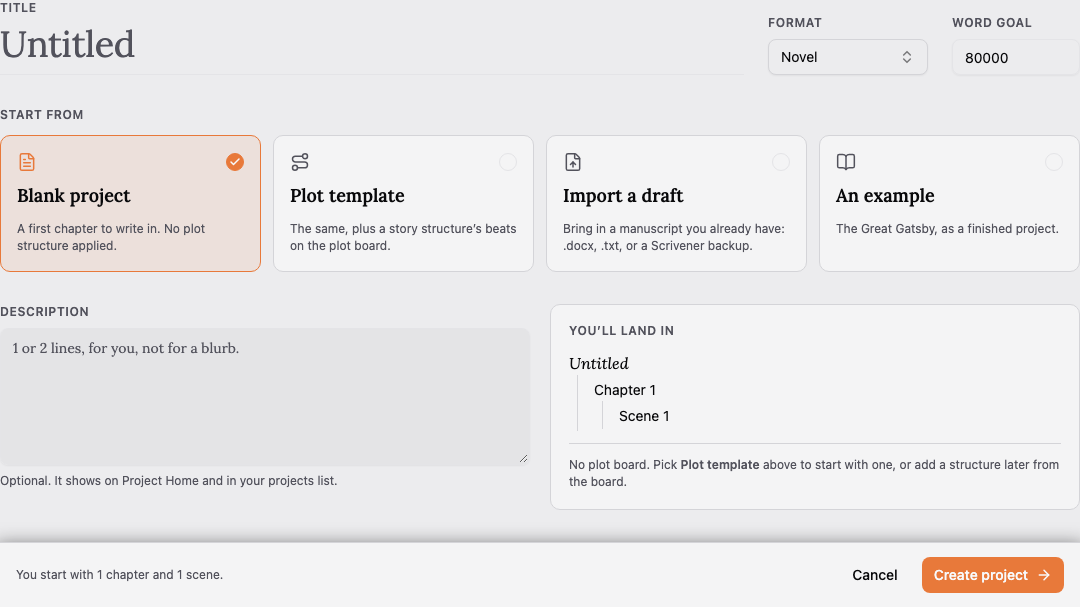
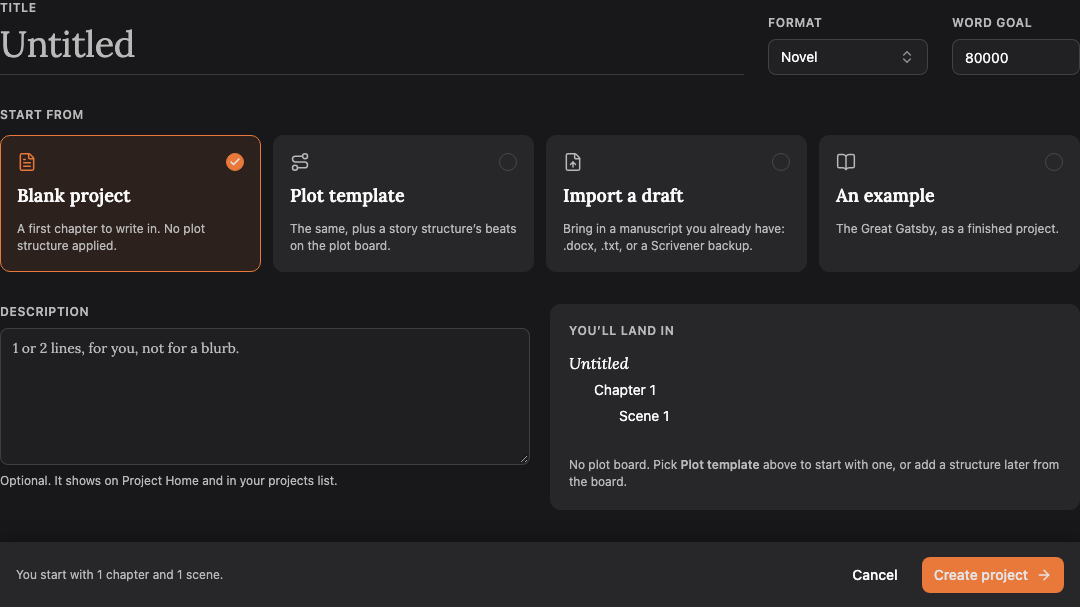
- On your dashboard, select New project. The new project page opens.
- Type a title in Title.
- Pick a Format. Its suggested goal fills in Word goal, and you can change it.
- Select Create project.
Blank project is chosen to start with. It gives you one chapter with one scene, and no plot structure.
You land on project home. Select Resume writing to open your first chapter.
Start from a manuscript you’ve already written
Already have your book as a .docx, a .txt, or a Scrivener backup? Choose Import a draft on the new project page. Endra Studio shows you what it found before it creates anything.
Try it with an example project first
The example is a copy of The Great Gatsby. Its chapters, characters, locations, and plot board are already filled in.
- On the new project page, choose An example. “The Great Gatsby” fills in as the title, and you can change it.
- Select Create example.
Words you write in the example project don’t count toward your daily goal, streak, or level. A note in the info bar says so while you’re in it. Delete the example any time from the Settings tab on its project home.
Related
Was this helpful?
Thanks for letting us know.