Inviting collaborators and readers
Invite a collaborator, editor, or beta reader to your project by email from the Collaborators page, then resend or revoke the invite, change roles, or remove people.
Plan: Studio (free during the beta). See Plans and billing.
Before you start
Confirm your own email address. Until you do, the Studio won’t send invites. A notice at the top of the screen offers Resend link.
Send an invite
- Select Home in the left rail, then the Settings tab.
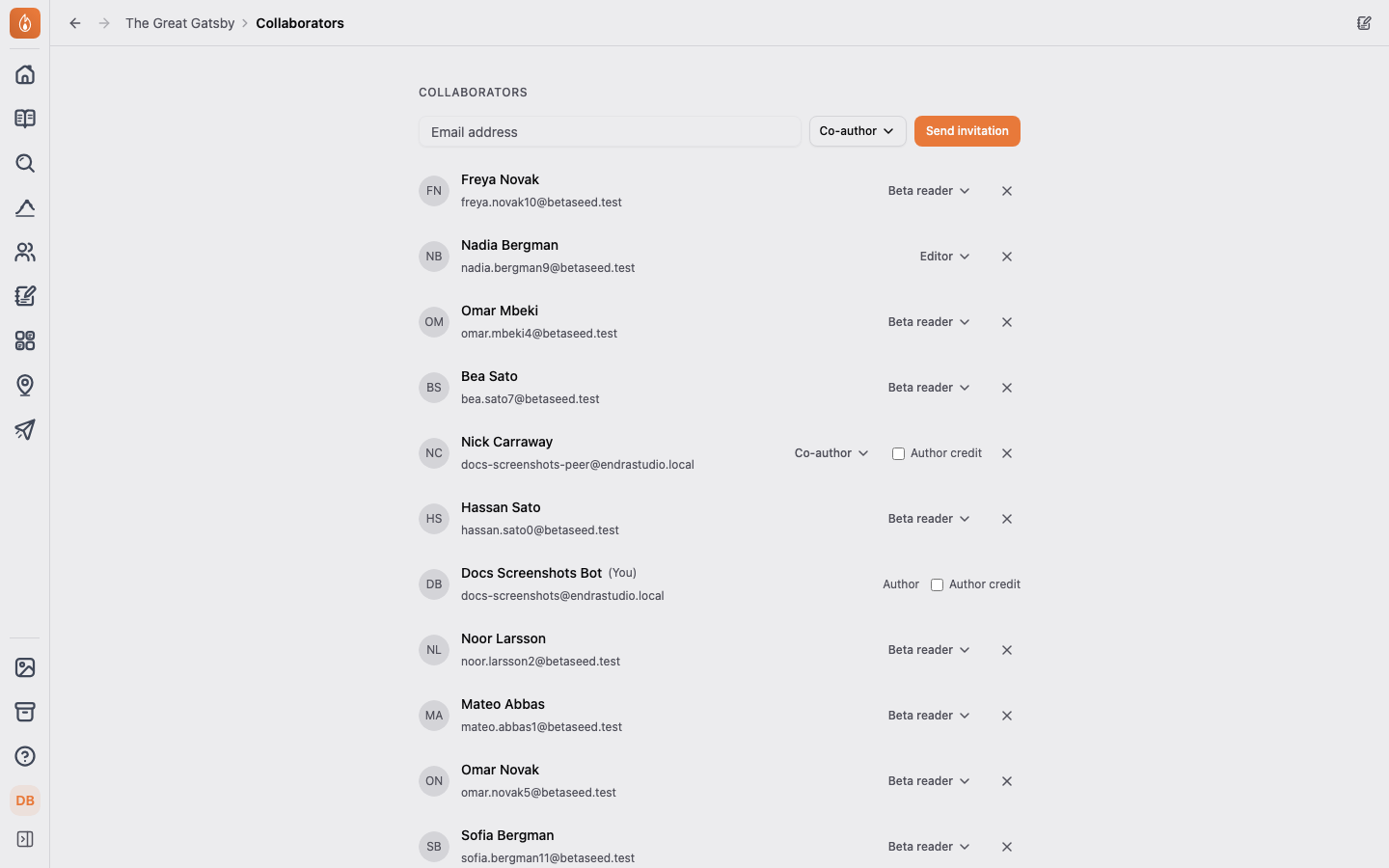
- Under Collaboration, select Manage.
- Type the person’s email in Email address.
- Open the role menu and pick Co-author (a collaborator), Editor, or Beta reader. Only the owner can invite a collaborator.
- Select Send invitation.
What happens next
The person gets an email with a link to accept. Someone new to Endra Studio confirms their email address before they can accept. The invite is listed under “Pending invitations” with its role and the date it expires.
An invite lasts 7 days. If it hasn’t been accepted with 2 days left, the person gets 1 reminder email. You get an email when they accept.
A collaborator can open the project and write in it.
An editor or beta reader can’t open the Studio. They read only the drafts you send them in a round. See Inviting editors and beta readers.
Resend or revoke an invite
The owner, or whoever sent the invite, can do either from “Pending invitations”.
- Resend: sends a new email with a fresh 7 days. The link in the old email stops working.
- ×: revokes the invite, so its link stops working.
Change a role or remove someone
Only the owner can do this, on the same Collaborators page.
- To change a role, select the role beside a person and pick a new one.
- To remove someone, select the × beside them, then Remove from project. They lose access right away. A document they already have open can keep showing live edits for up to 10 minutes.
Removing someone also takes them off every draft round in the project, including any round invitation they haven’t accepted. To take someone off just one round, use the × on that round’s Invites tab.
A collaborator can leave a project with Leave on the Collaborators page.
If something goes wrong
It says “Confirm your email address before sharing”
Select Resend link on the notice at the top of the screen, then open the link in the email. Send the invite again after that.
It says “That email is already on this project”
They’re already listed on the Collaborators page. To give them a different role, change it there.
The invite expired before they accepted
An expired invite drops off “Pending invitations”. Send a new one from the invite form.
Related
Was this helpful?
Thanks for letting us know.