Saving and restoring versions
How to save a version of a chapter or scene, when versions save automatically, and how to preview and restore an earlier one.
Plan: Writer and Studio (free during the beta). See Plans and billing.
Open version history
Open a chapter or scene. In the info bar, select the Versions tab.
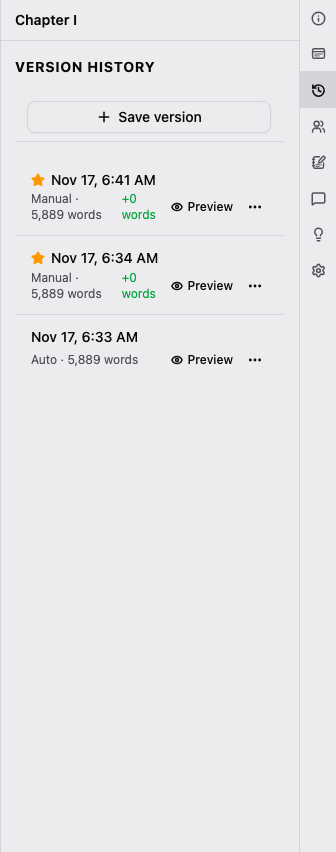
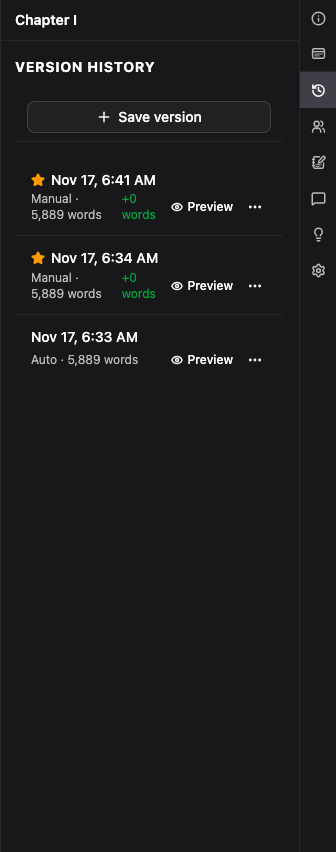
Versions are listed newest first. Each one says “Manual” or “Auto” and shows its word count.
It also shows the change in words since the version before. A star marks the versions you saved yourself.
When versions save automatically
Your writing saves as you type. Versions are checkpoints on top of that.
The first save after 30 minutes since the last automatic version makes a new one. It holds the text as it stood before your new changes.
Come back after a break and you get one right away. Write straight through and you get one about every half hour.
Versions you save yourself are never removed. Automatic ones are, oldest first, once a chapter or scene reaches your plan’s limit.
Save a version yourself
Select Save version at the top of the Versions tab. It saves the text exactly as it is now.
To name a version or delete one, open its ⋯ menu and choose Rename or Delete. A deleted version can’t be recovered.
Preview a version
Select Preview on a version to read it in place of your current text. Nothing changes until you restore it.
Show changes marks what differs from your current text. Back to current closes the preview.
Restore a version
- Select Preview on the version you want.
- Select Restore.
- Select Restore version to confirm.
You can also choose Restore from a version’s ⋯ menu.
Your current text is saved first, as a version named “Before restore”. Then the version you picked replaces it.
If something goes wrong
“Saving versions isn’t available offline”
Saving and restoring versions needs a connection. Your writing itself still saves on your device and syncs when you’re back online. See Working offline.
Related
- Taking and restoring project snapshots
- Archiving, restoring, and deleting chapters, scenes, and other items
- Writing in the editor
Was this helpful?
Thanks for letting us know.